
- Free to plan
- No account
- Guest list stays in your browser
Seating Chart Maker
Plan who sits where at your wedding, party or classroom. Paste your guest list, drag people to tables or let auto-seat keep families together, then print a seating poster, floor plan and place cards.
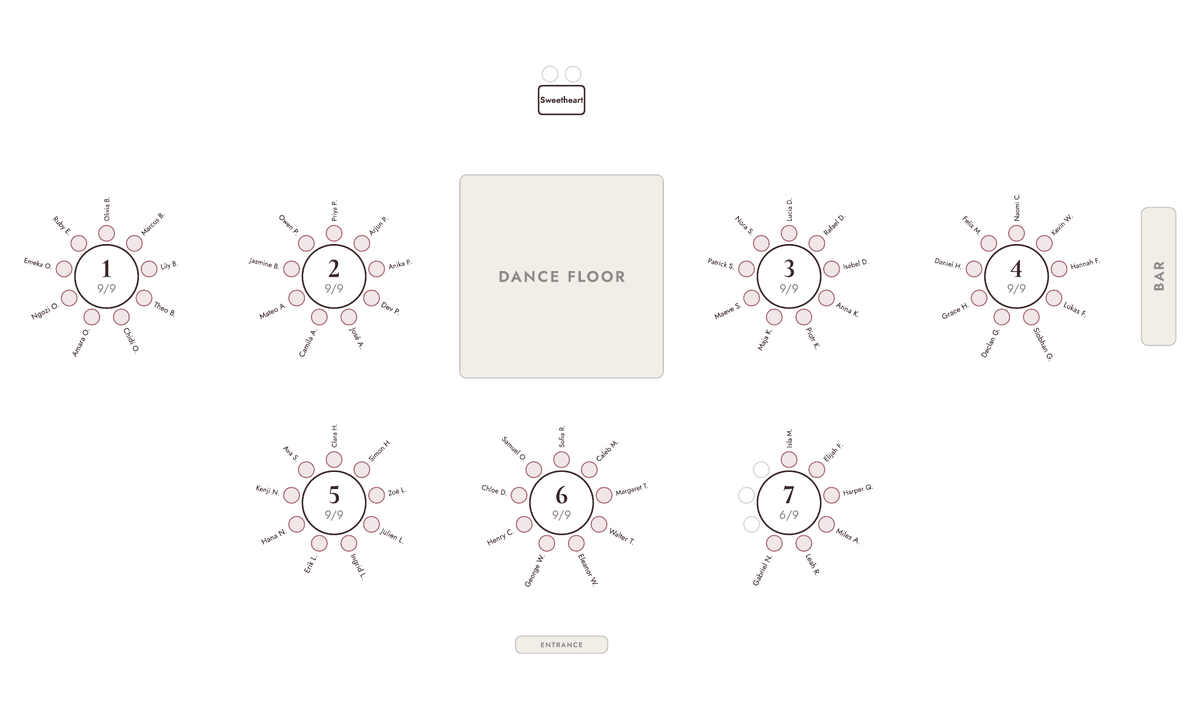
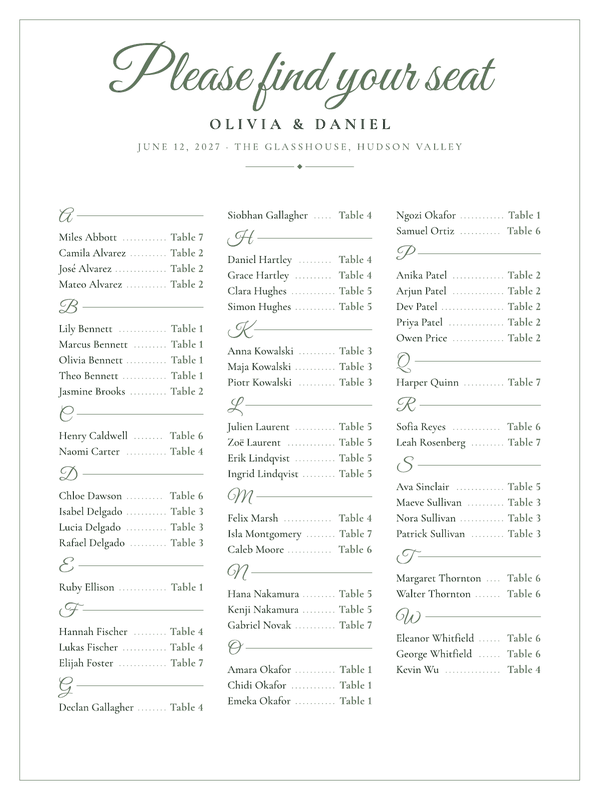
Every file your event needs, from one chart
Real files from the tool, with made-up names. Change a seat and every file follows.
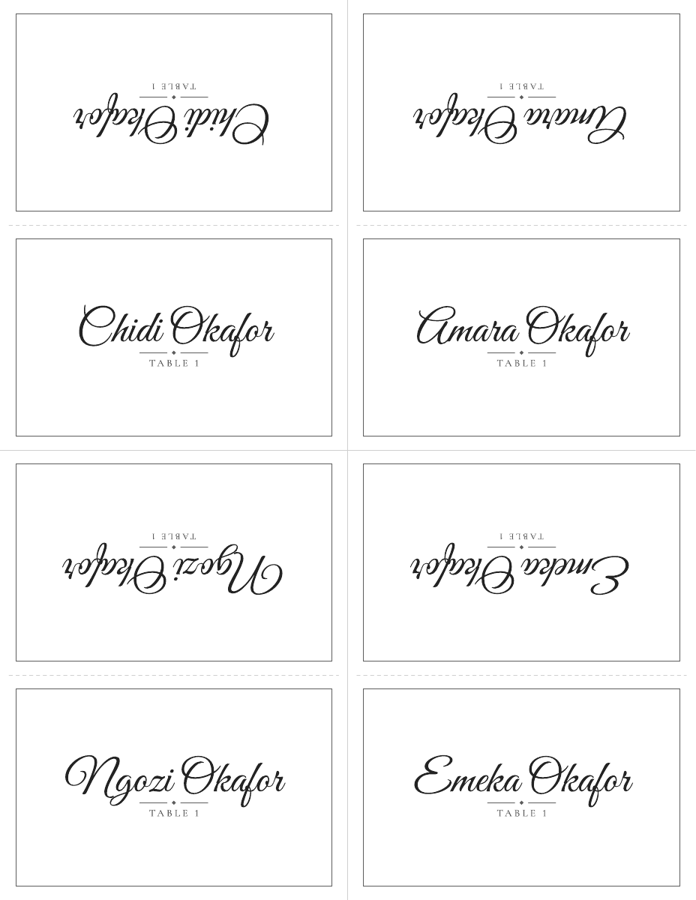
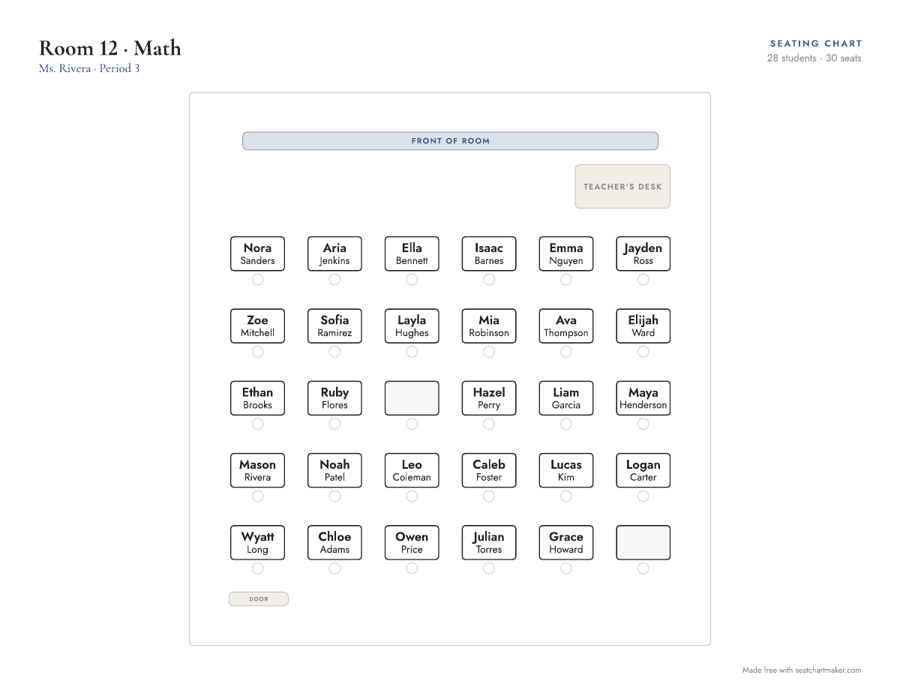
Free to design. Pay only for the files.
No account and no subscription. You see exactly what you're buying before you pay.
- The whole editor: guests, tables, drag and drop
- Auto-assign that keeps families together
- Save and open your chart as a file
- Classroom seating charts, free to print
- Seating poster: Letter up to 24 × 36 in, 3 styles
- Floor plan with every name, for the venue
- Fold-over place cards and caterer list
- Edit and download again for 12 months
- Unlimited charts for 30 days
- Every file and size
- For planners and venues
- Doesn't renew. No subscription
From guest list to printed chart in three steps
- 1
Add your guests
Paste your list from a spreadsheet or RSVP export, upload a CSV, or type names. Households and meal choices come along.
- 2
Arrange tables and seat everyone
Add round, banquet, head and sweetheart tables, drag them into place, then drag guests to seats or press Auto-assign to seat each family together.
- 3
Print it all
Download a “find your seat” poster up to 24 × 36 in, a floor plan for the venue, fold-over place cards and a guest list for the caterer.
How to make a wedding seating chart
- Start with the guest list. Paste it straight from your spreadsheet or RSVP site. Put a blank line between households, or include a Party column, and couples and families stay together.
- Set up the room. Add the tables your venue has (round tables of 8 or 10, long banquet tables, a head or sweetheart table) and drag them around the dance floor, bar and stage.
- Seat the important people first. Wedding party and family near the head table, older relatives away from the speakers, kids near their parents.
- Let auto-assign do the rest. It fills the open seats and keeps every party at one table, never moving anyone you've already placed.
- Check the warnings. Over-full tables, split families and missing seats are flagged with a one-click fix.
Your chart saves automatically in this browser. Save a copy as a file too, so months of planning never depend on one browser.
What you can print
| File | For | Sizes |
|---|---|---|
| Seating poster (“Please find your seat”) | The entrance or escort table, listed A to Z or by table | Letter, A4, 11 × 17, 18 × 24, 24 × 36 in |
| Floor plan | The venue coordinator and DJ | Letter, A4, 11 × 17 |
| Place cards | Each guest's seat, folded tent cards with meal | 4 per Letter page |
| Guest list (CSV) | The caterer, with tables, seats and meals | Spreadsheet |
Posters come in classic, modern and script styles with a choice of colors, and the text size fits itself to the number of guests. Print at home, at a copy shop, or as a foam board.
Free classroom seating charts
Teachers can switch to Classroom mode: lay out rows, pairs or groups of desks in seconds, paste the class list, shuffle the seats, and print a classroom seating chart for free, with a teacher's-view option for the back of the room. Save each class as a file and open it again next term.
Seating chart tips
- Count chairs, not tables. Round tables seat 8 comfortably (10 snugly); banquet tables need a seat at each end only if there's room.
- Keep it readable. For a poster, A to Z by last name is fastest for guests to scan; by table works well for small events.
- Finalize late, print once. Wait for final RSVPs, then print. With this tool, a late change updates every file at once.
- Bring a spare. Print one extra poster and a floor plan for the coordinator.
Frequently asked questions
Is the seating chart maker free?
Planning is free: add guests, arrange tables, drag and auto-assign, and save your chart, as often as you like. Classroom seating charts are free to print too. For weddings and events, the print files (poster in every size, floor plan, place cards and guest list) cost $9.99 per chart, with edits and downloads for 12 months, or $24.99 for a 30-day pass with unlimited charts (for planners and venues). Both are one-time payments; there's no subscription.
Can I import my guest list?
Yes. Paste names from a spreadsheet, a document or an RSVP export, or upload a CSV. Columns like name, party or household, meal and RSVP are recognized, guests who declined are skipped, and "Mr. and Mrs. Smith" or "Anna & Ben Lee" become two guests in one party.
Does it keep families and couples together?
Yes. Guests in the same party are seated at the same table by Auto-assign whenever they fit, and the tool warns you if a party ends up split.
Can I change the chart after I've printed it?
Yes. Move anyone and download again: every file is rebuilt from the chart. A single purchase covers edits and downloads for that chart for 12 months.
Does it work on a phone?
Yes. Tap a guest, then tap a table or seat to place them, or use the table list at the bottom of the screen. For big weddings, a laptop is more comfortable.
Is my guest list uploaded?
No. Your chart, guest names and meals stay in your browser; nothing is sent to our server except the checkout request and, after paying, a check that the payment went through. Use Save file to keep a copy.
Can wedding planners use it for clients?
Yes. The $24.99 30-day pass covers unlimited charts and files for 30 days. Save each client's chart as a file to switch between events.
Ready to seat your guests?
Free to plan · No account · Guest list stays in your browser